
WordPress plugins
Heatmap and scrollmap
See where visitors click and how far they scroll, plus rage clicks and dead clicks. Without cookies and without an outside dashboard.
Plugin: English
Tools and plugins · IN SHORT
Help with a specific question.In your browser or on your site.Start small, for free.
Choose a tool or pluginExplore what matters
CHOOSE YOUR TOOL
Use a browser tool, download a plugin or open a practical guide. See what you can do and what is not available yet.
20 of 20 tools
See where visitors click and how far they scroll, plus rage clicks and dead clicks. Without cookies and without an outside dashboard.
Plugin: English

Measures LCP, INP, CLS and TTFB on your real visitors and shows the 75th percentile per page and per device. Below twenty measurements no figure appears.
Plugin: Dutch on Dutch WordPress; English otherwise
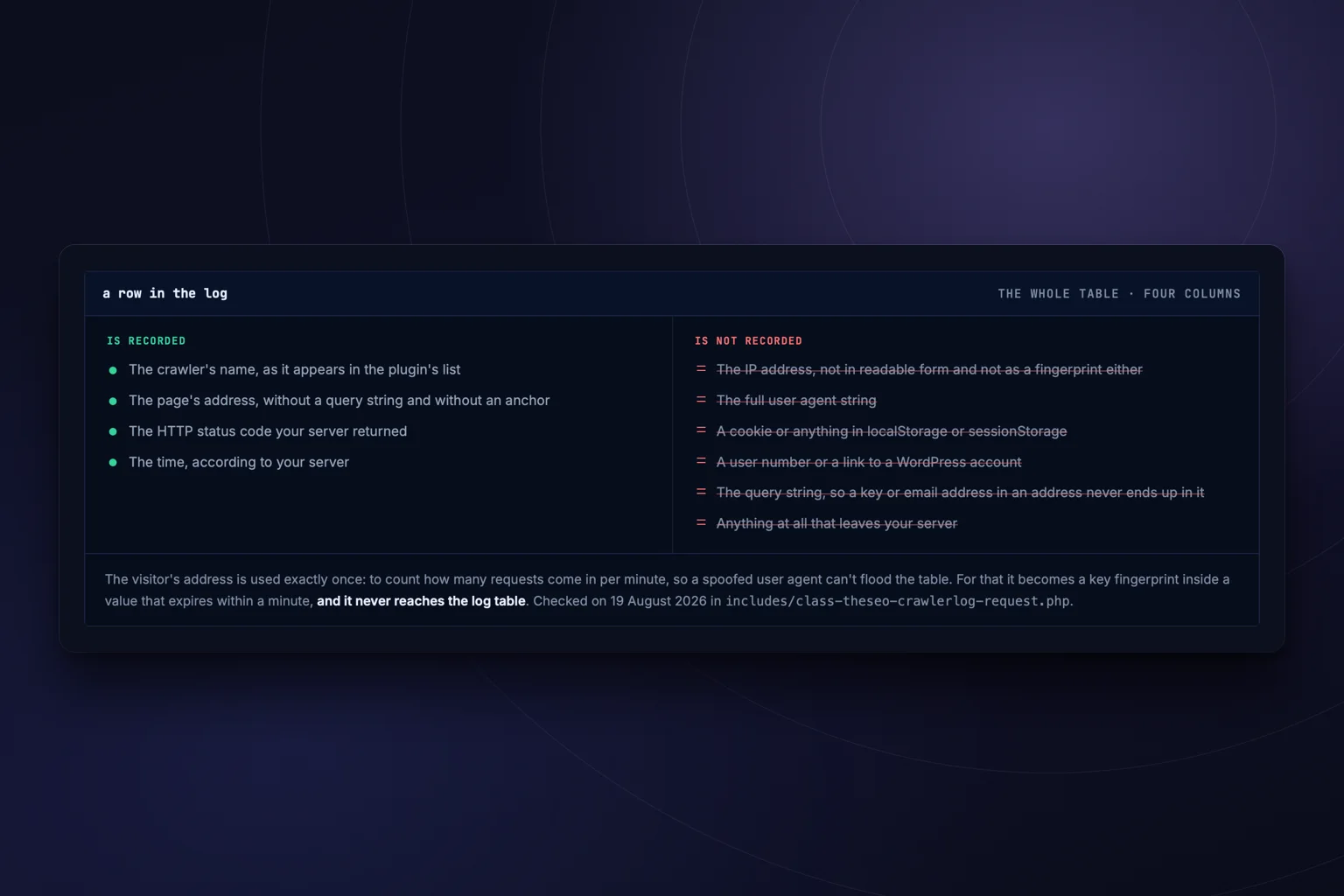
See which AI crawlers fetch your pages, and say in robots.txt what they may do with your content. 34 known crawlers, no IP address.
Plugin: Dutch on Dutch WordPress; English otherwise

Eighteen machine testable points from EN 301 549, and a statement that matches what was measured. No overlay.
Plugin: Dutch on Dutch WordPress; English otherwise
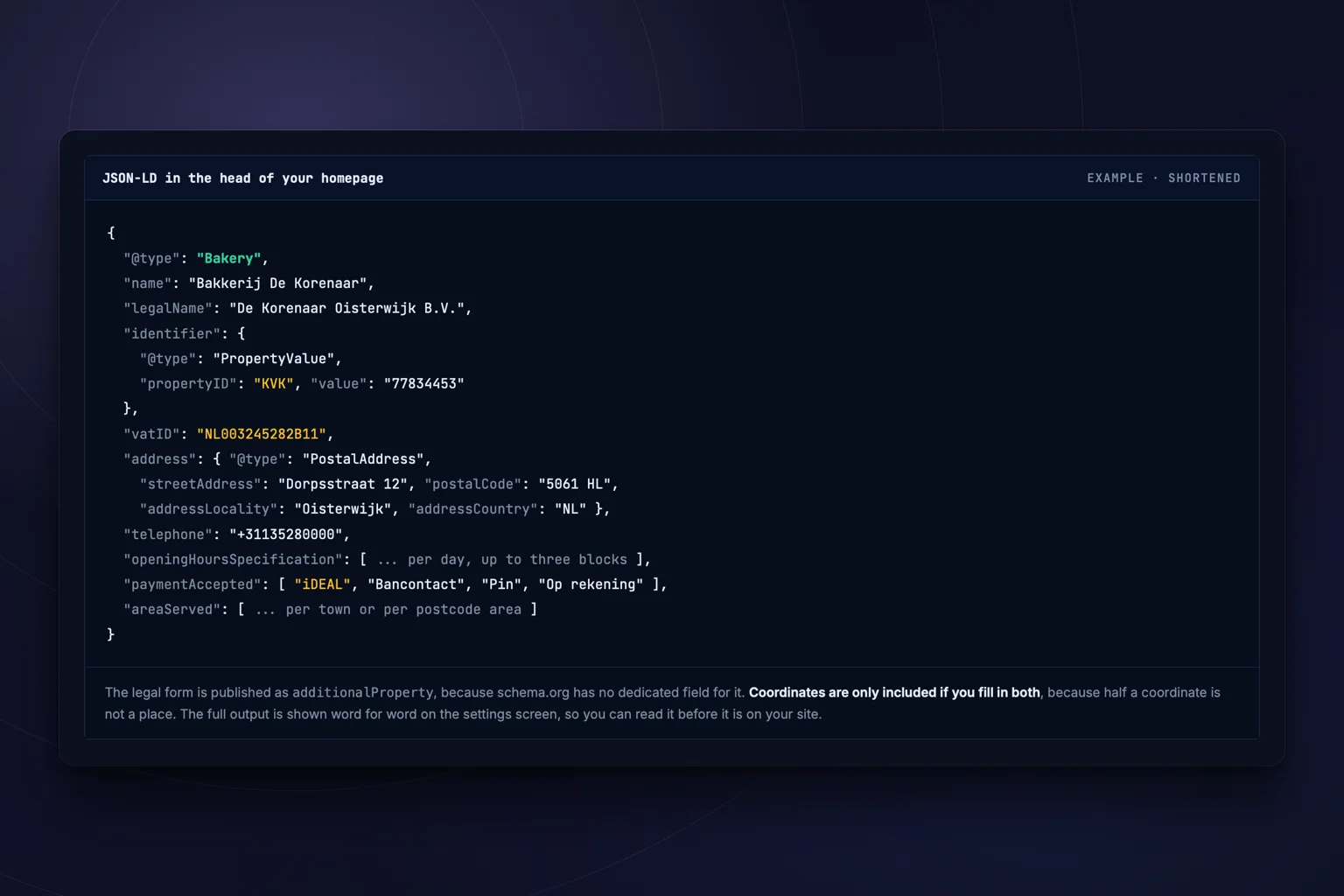
LocalBusiness structured data with the fields a Dutch company genuinely has, plus a check on whether name, address and phone number are the same everywhere.
Plugin: Dutch on Dutch WordPress; English otherwise
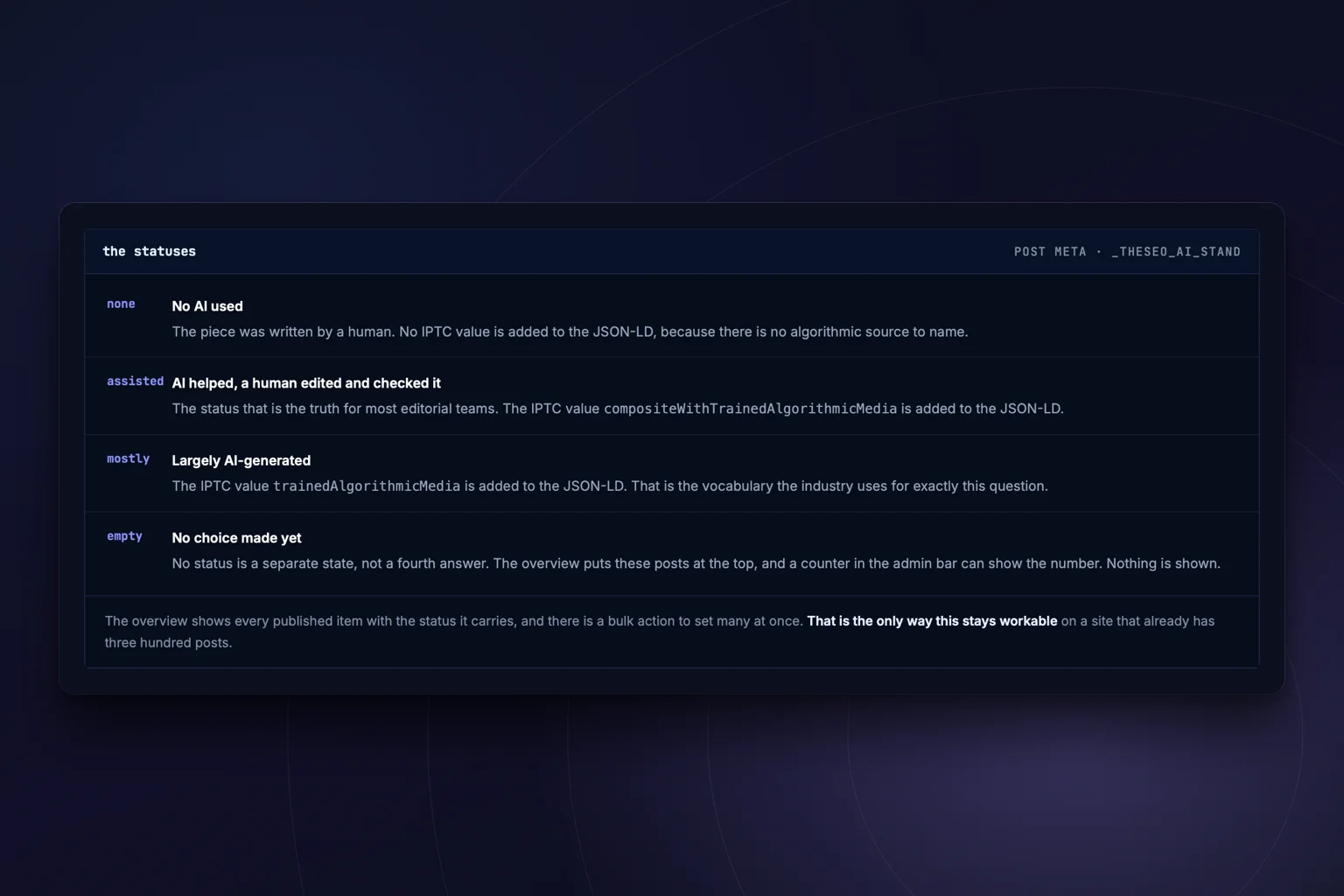
Record per post how much AI was involved, show it in a sentence you write yourself, and publish it machine readable.
Plugin: Dutch on Dutch WordPress; English otherwise

Puts an llms.txt to the standard on your domain, built from what you fill in in the admin. The same page also carries the template to write it yourself.
Plugin: Dutch on Dutch WordPress; English otherwise
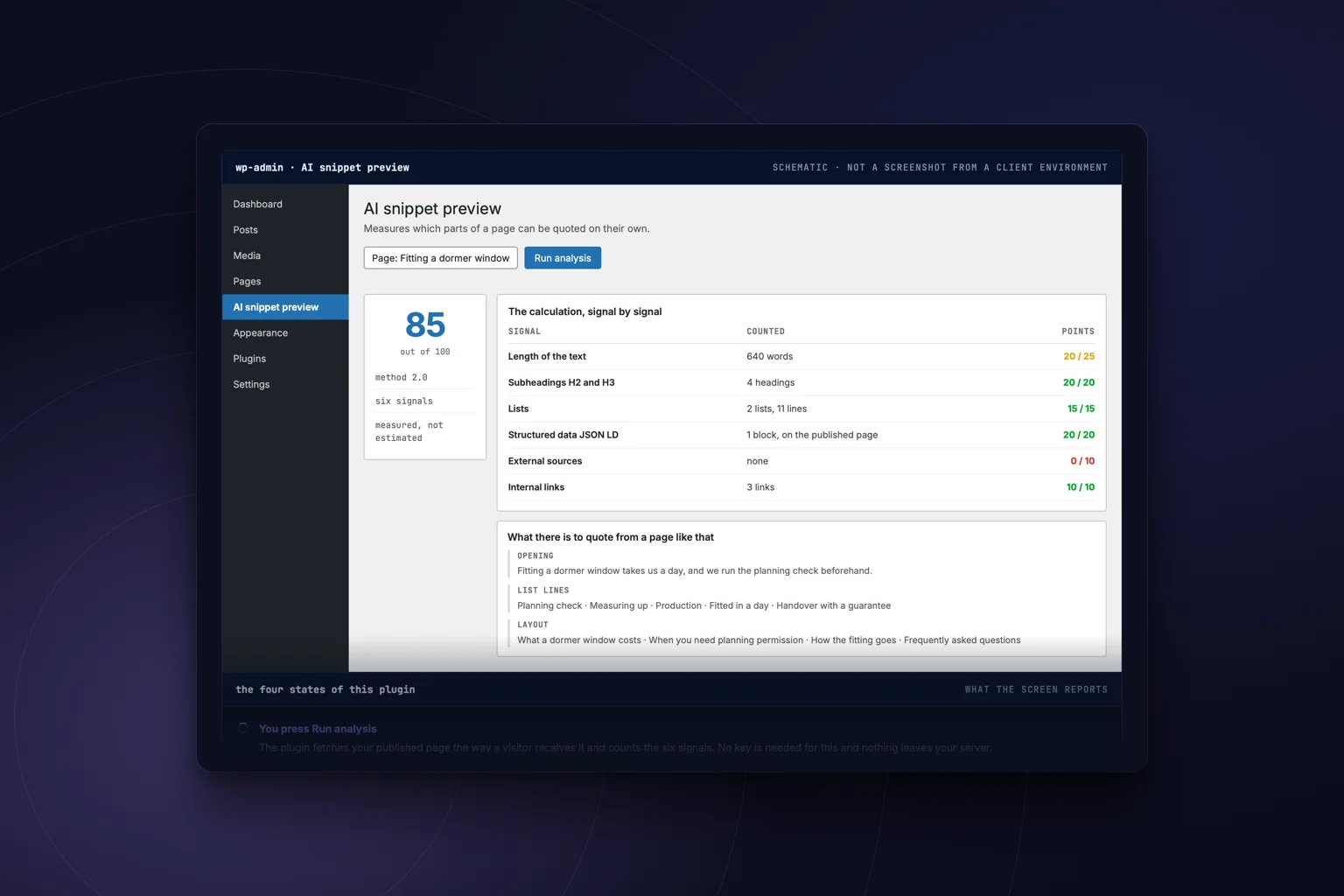
Measures per page which parts a language model can quote on their own, with the whole calculation. The same page also carries the prompt to do it by hand.
Plugin: Dutch on Dutch WordPress; English otherwise

Enter your address and the scan checks a page automatically against 24 points, with the result straight away.
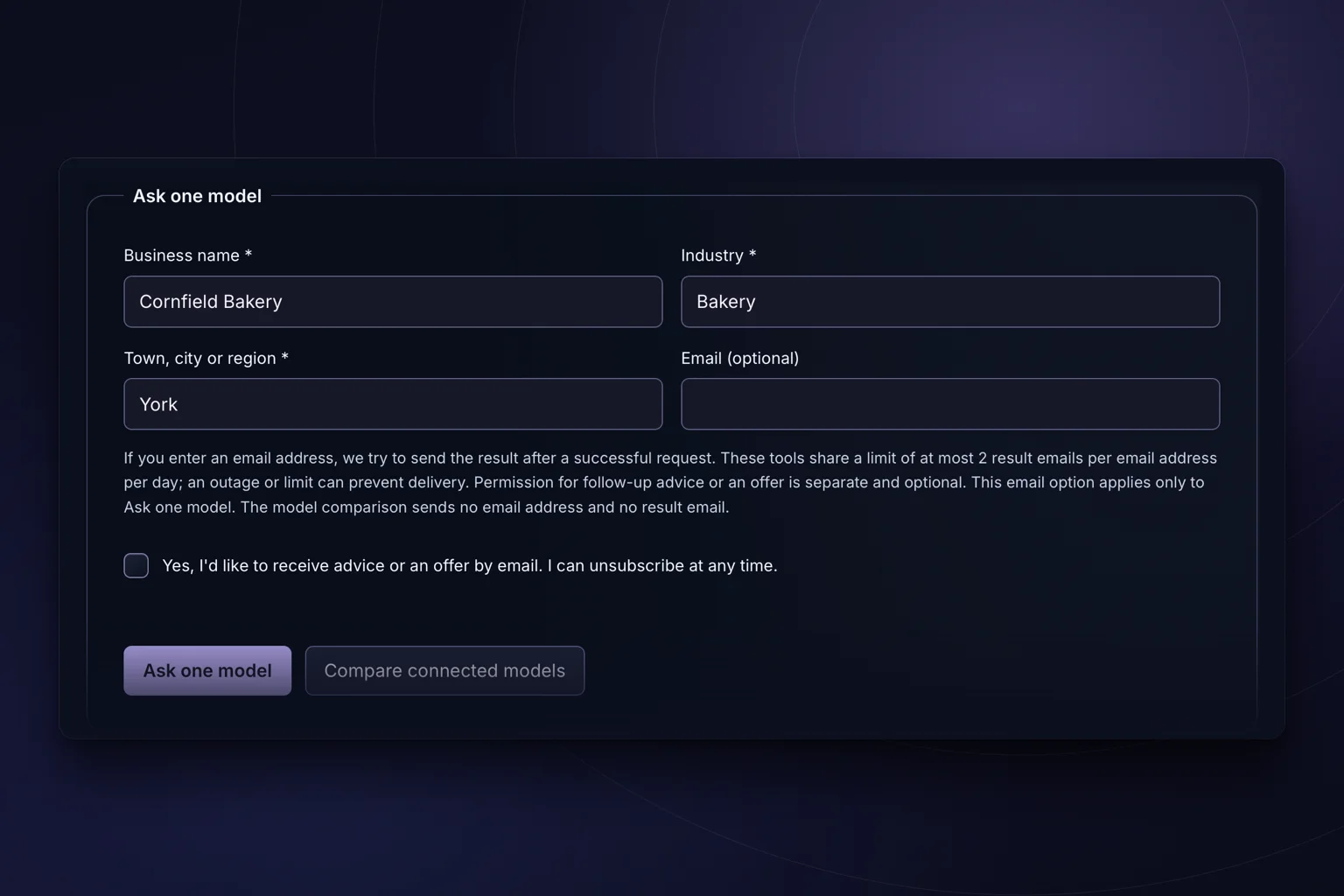
One question to the language model about your name, trade and city: does AI recognise your company, yes or no.

Fill in your company and topic and get a post ready to use for your Google Business Profile.
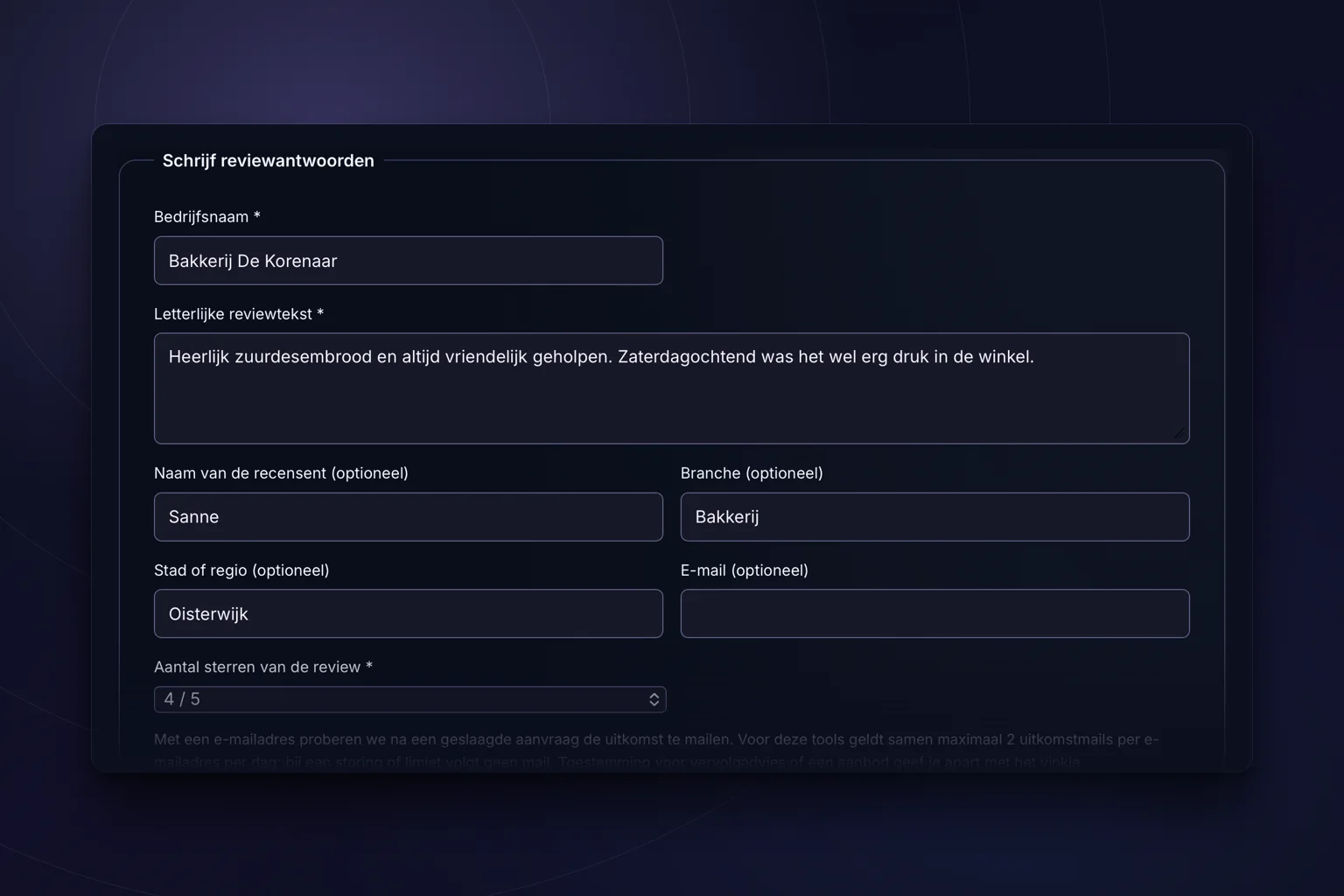
Paste a review and get a fitting, personal reply back that you can post as it is.
Destination in Dutch
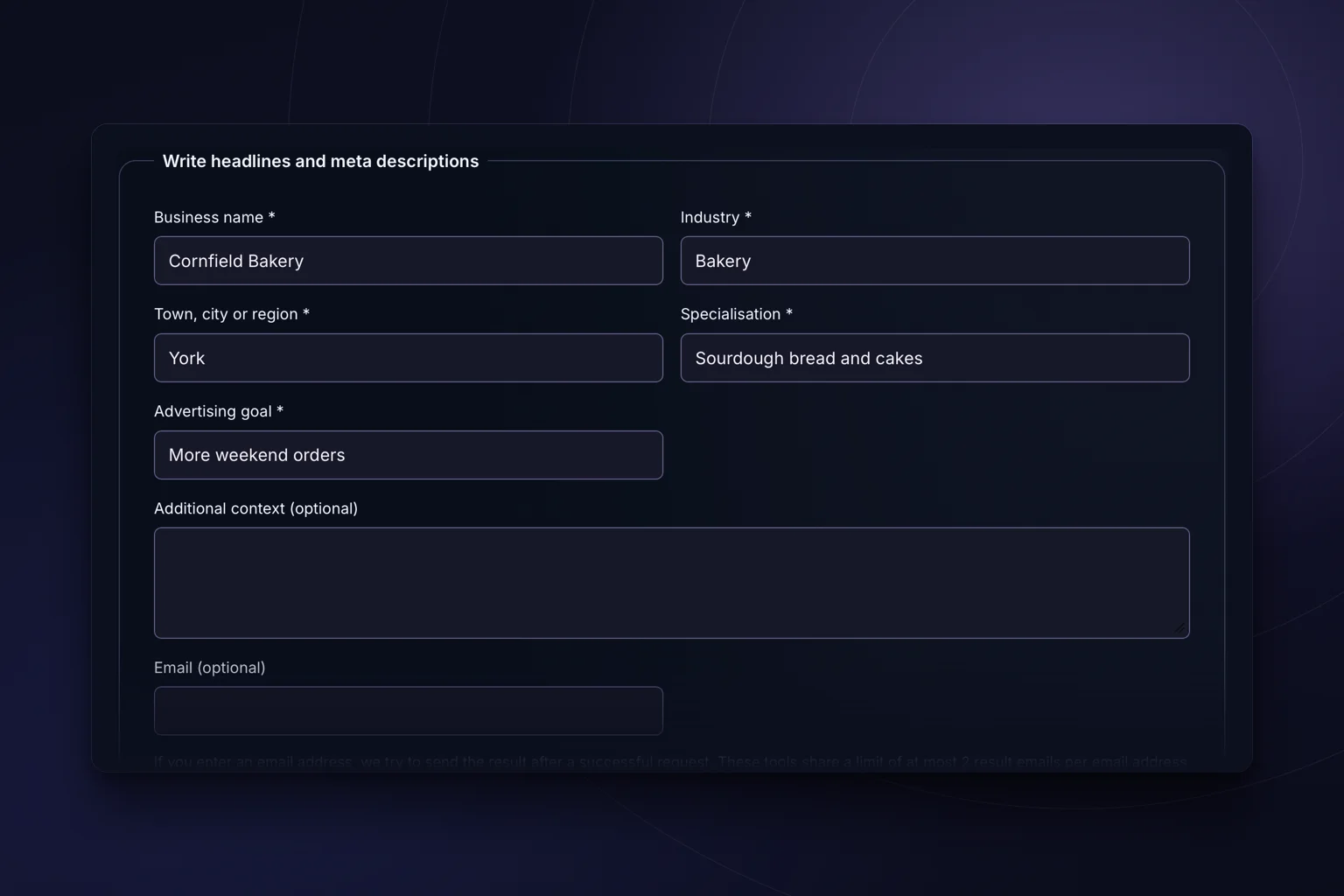
Headlines and descriptions that fit inside the limit, written from your page and your search term.
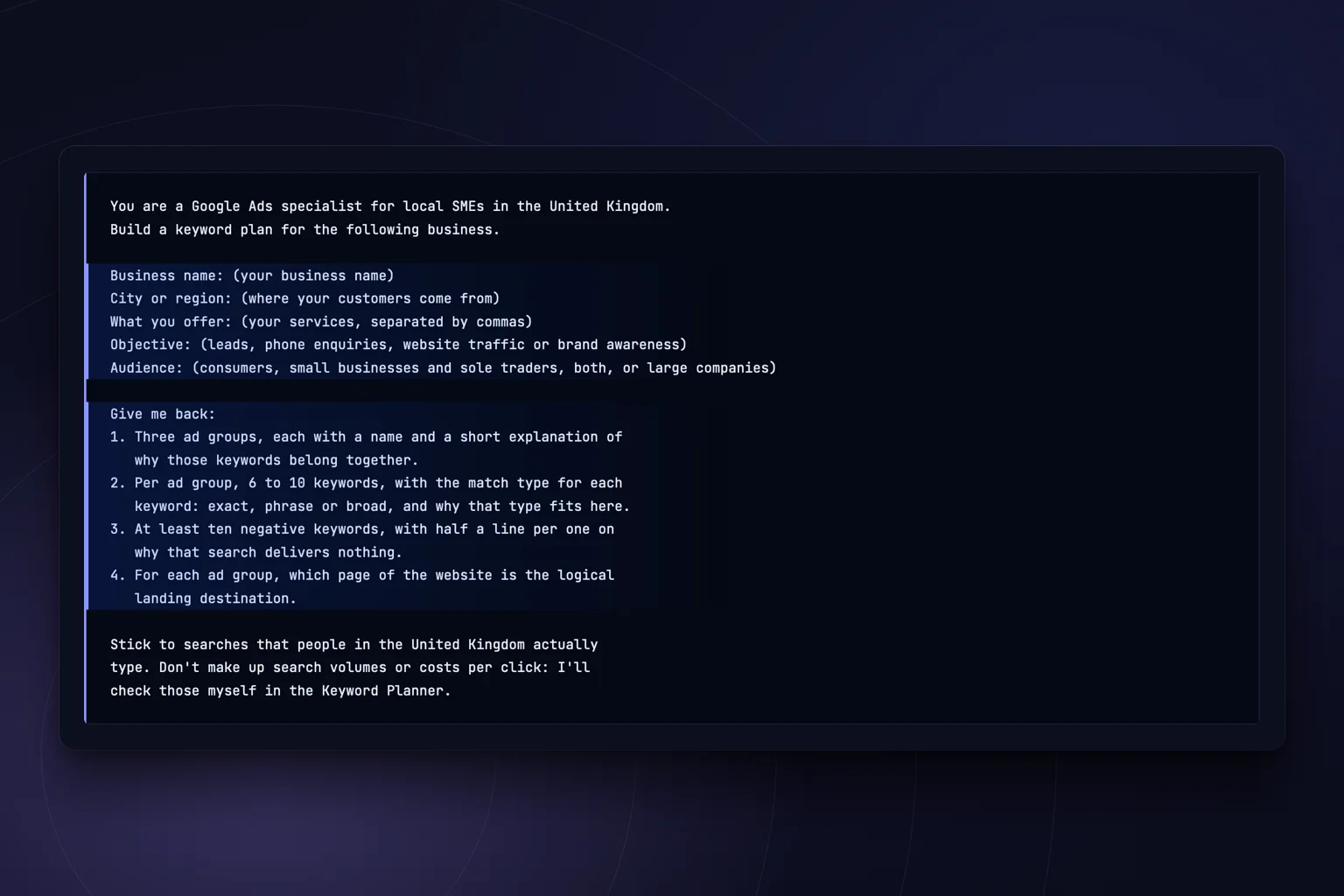
The full prompt with which you have a keyword plan for a local small business written in five minutes.
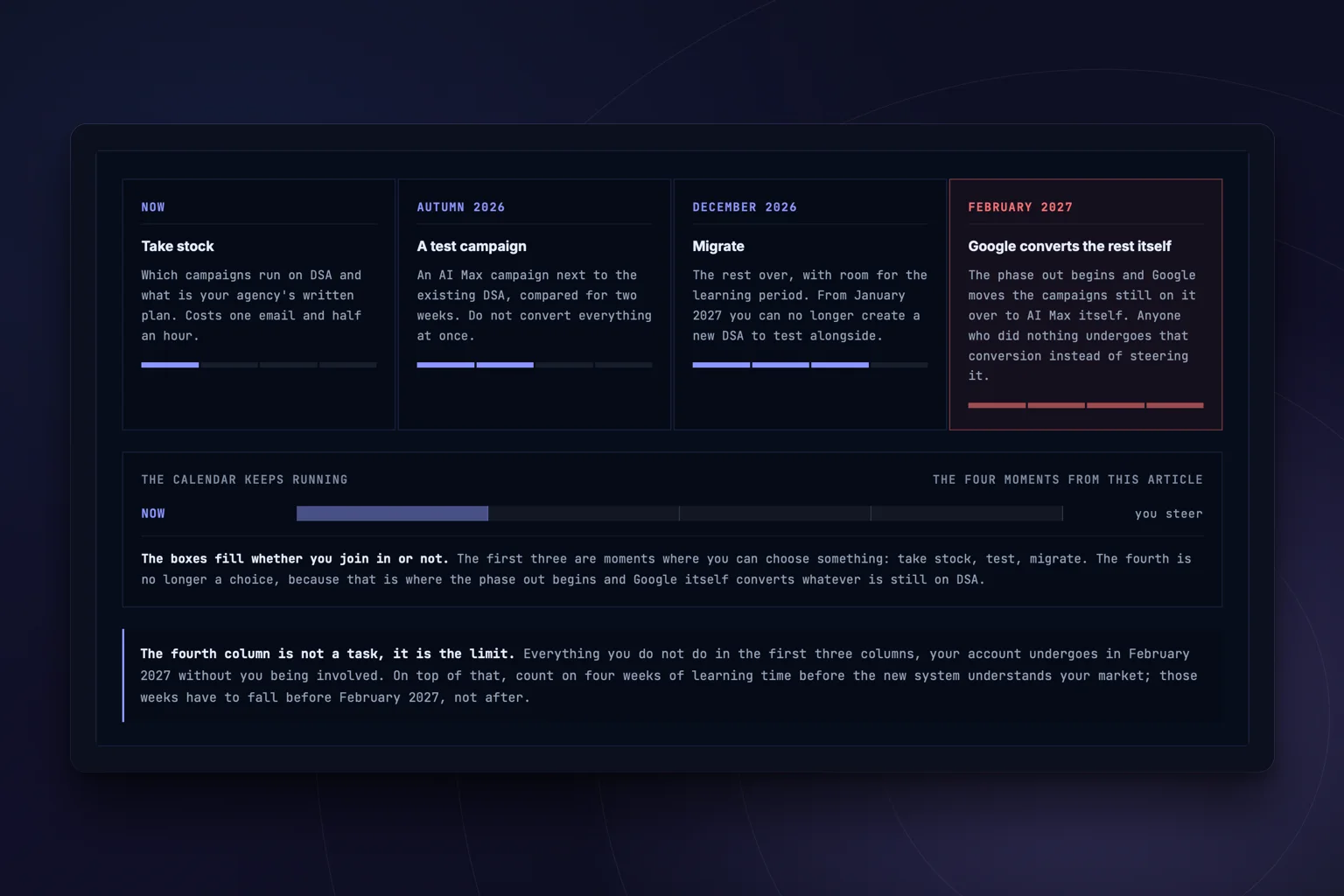
Is your Google Ads campaign still running on DSA? The check questions and what you do with the outcome.
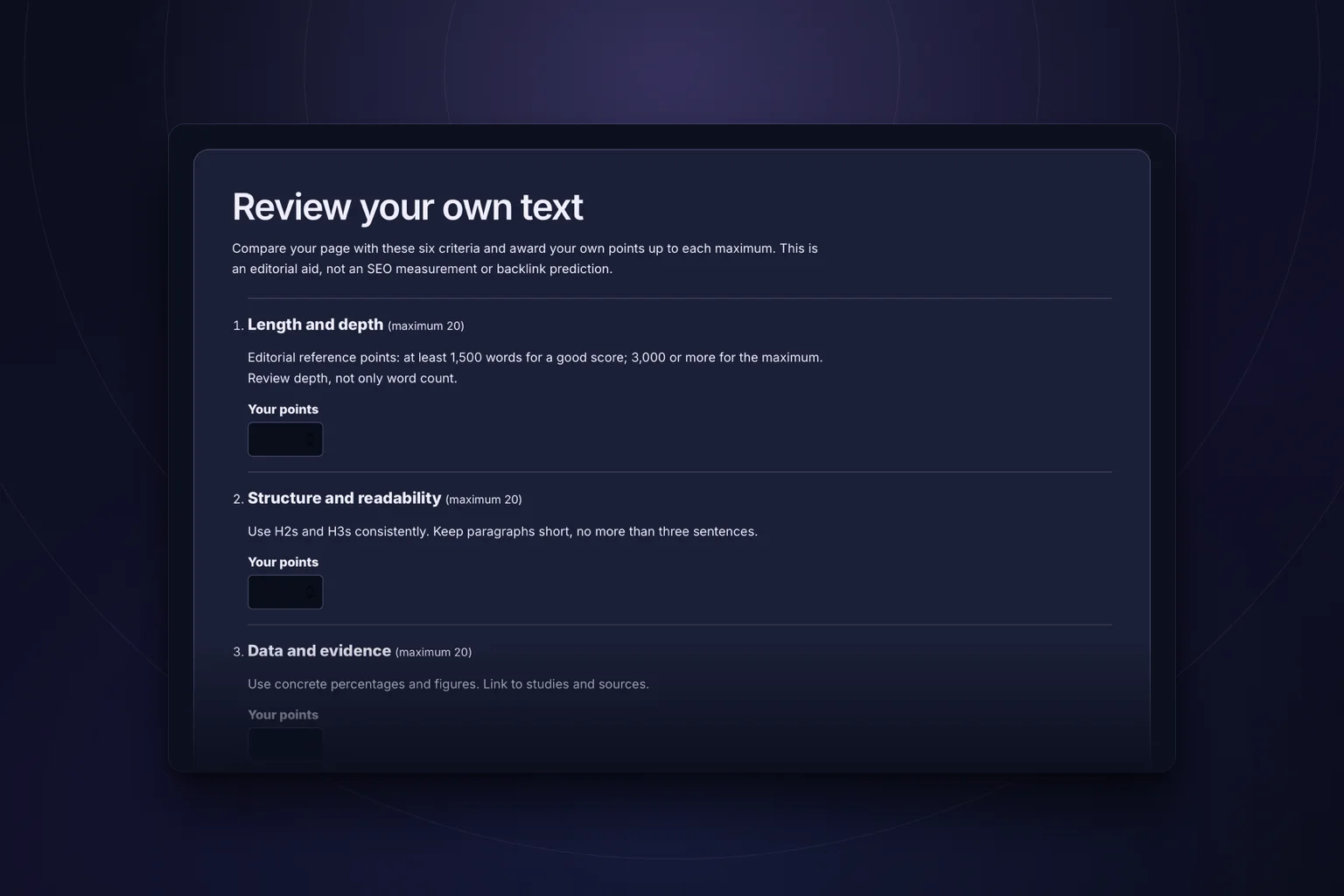
The checklist with six criteria you judge for yourself whether your content is worth linking to.
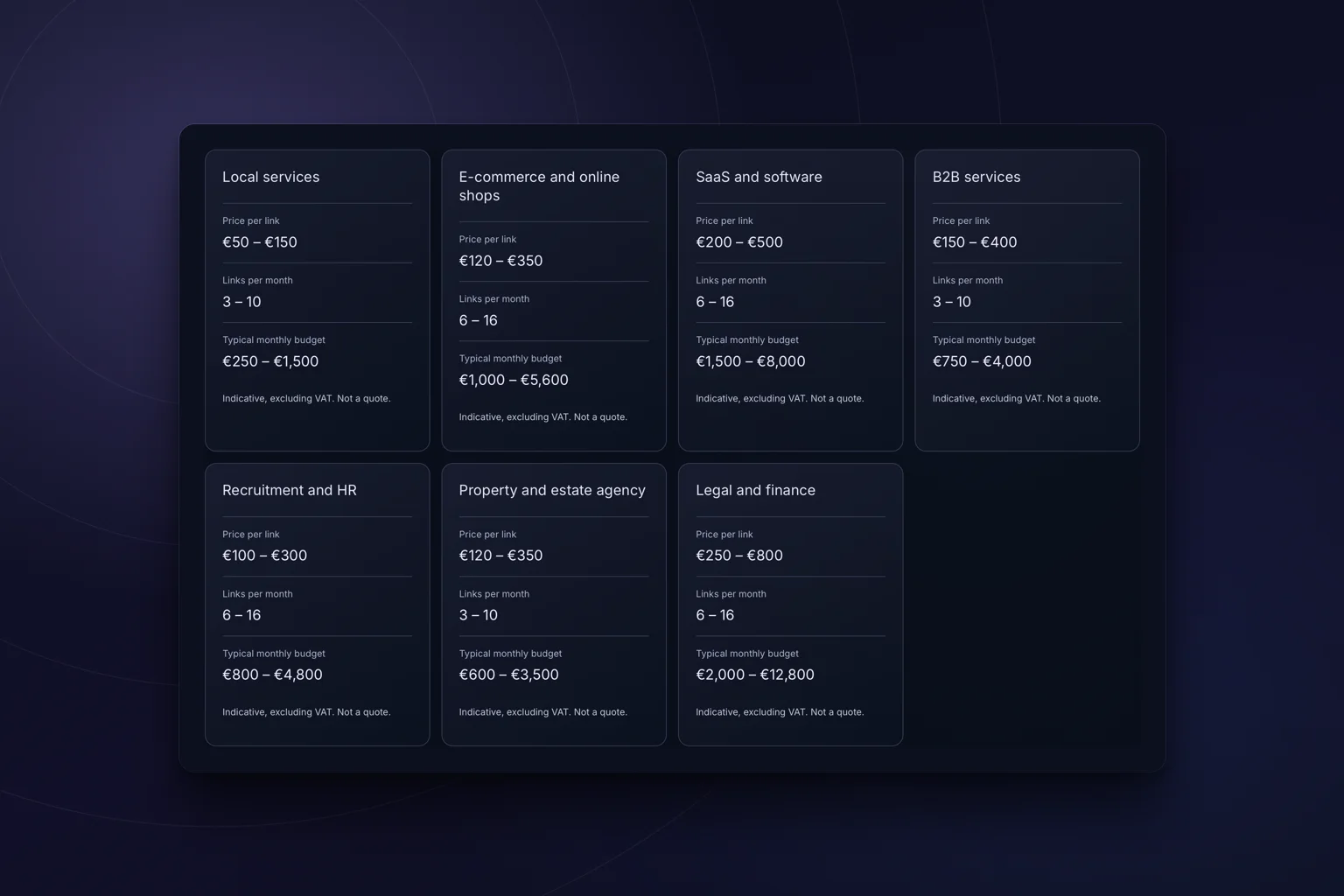
What link building costs, set out per niche in an honest price table. No calculator needed.

The questionnaire with which you decide how exposed your traffic is to AI Overviews, and what you do about it.
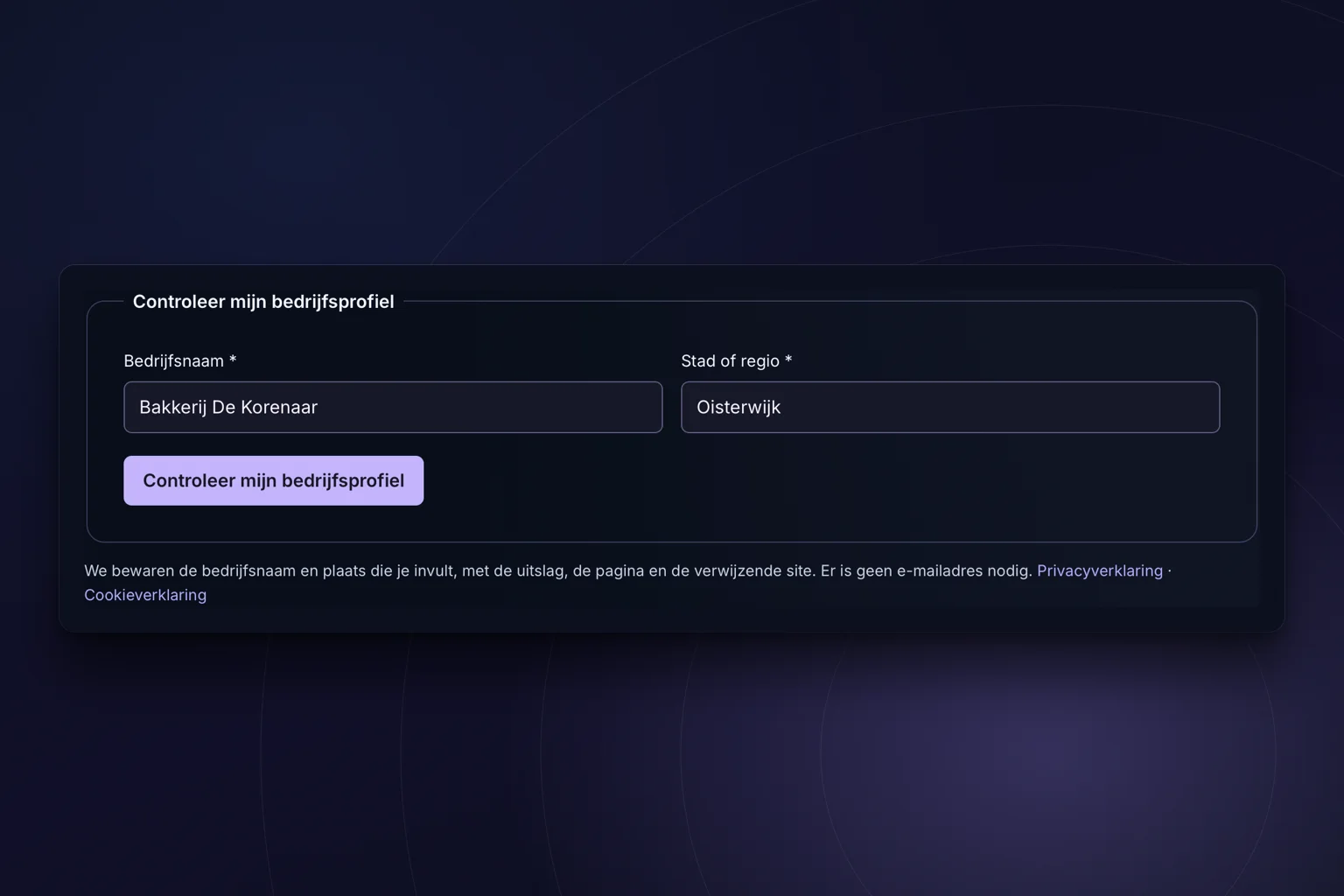
The check on your Google Business Profile is built, but the connection with Google is not switched on. The page says so and points you to the free SEO scan.
Destination in Dutch
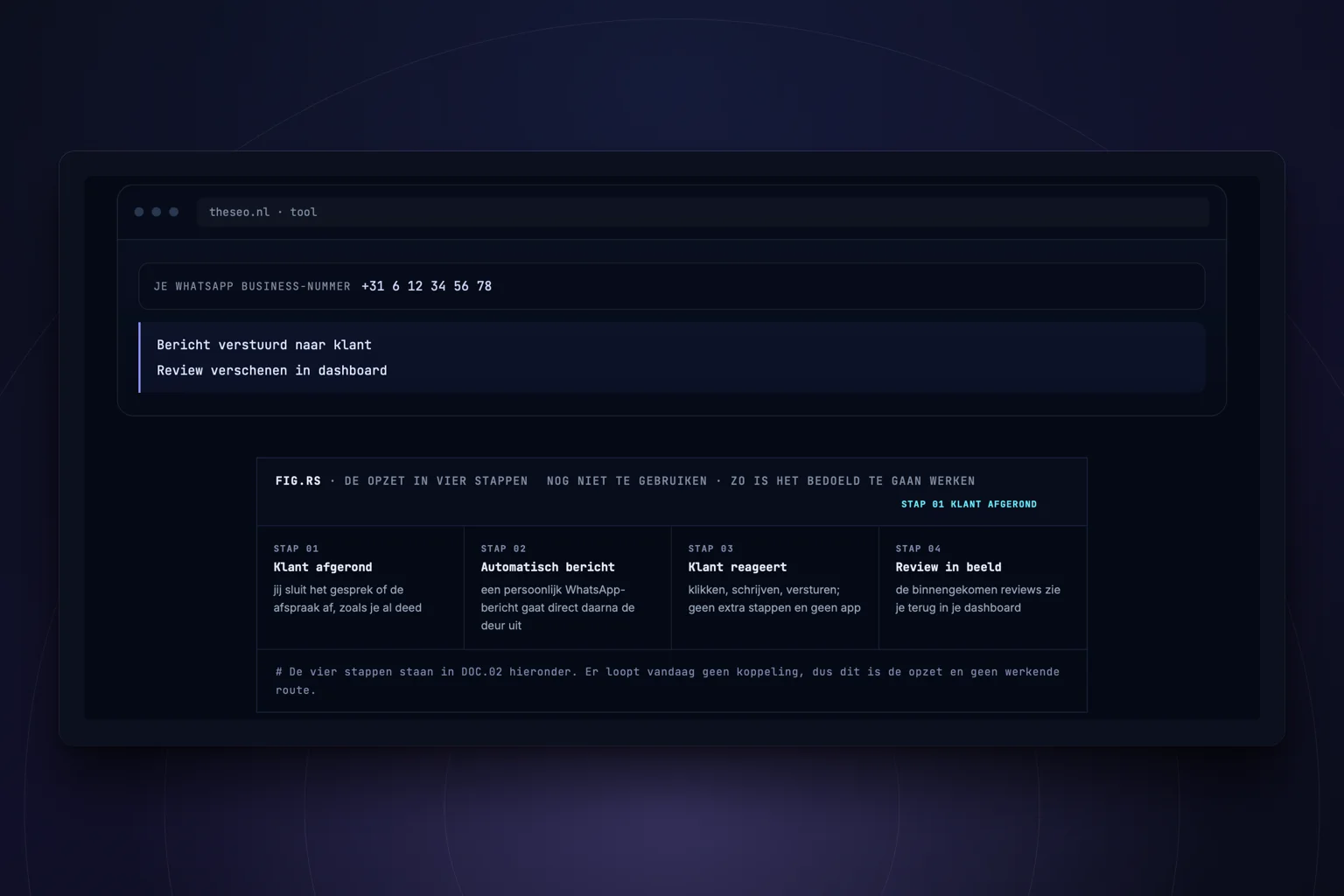
The setup is online, but there is no sign-up page and no dashboard yet. The page explains how you do it by hand today.
Destination in Dutch
The plugins are free. Test on a staging site and make a backup first. We have not yet verified activation on a running WordPress installation. Browser tools may process your input; each tool explains this.
WHAT MATTERS
Enter your question or web address in a suitable tool. You do not need to install anything on your own website.
Download the zip file and follow the installation instructions. Each plugin explains what it does and which data it uses.
Some work does not fit an existing tool. We can look at the small, specific solution you actually need.
01 / HOW IT WORKS
You do not need to know every tool. Start with what you want to solve.
View all detailsSearch the directory for the subject you are working on.
Check where the tool runs, what it processes and its current status.
Open the browser tool or download the plugin that fits your website.
A LOOK INSIDE THE TOOL
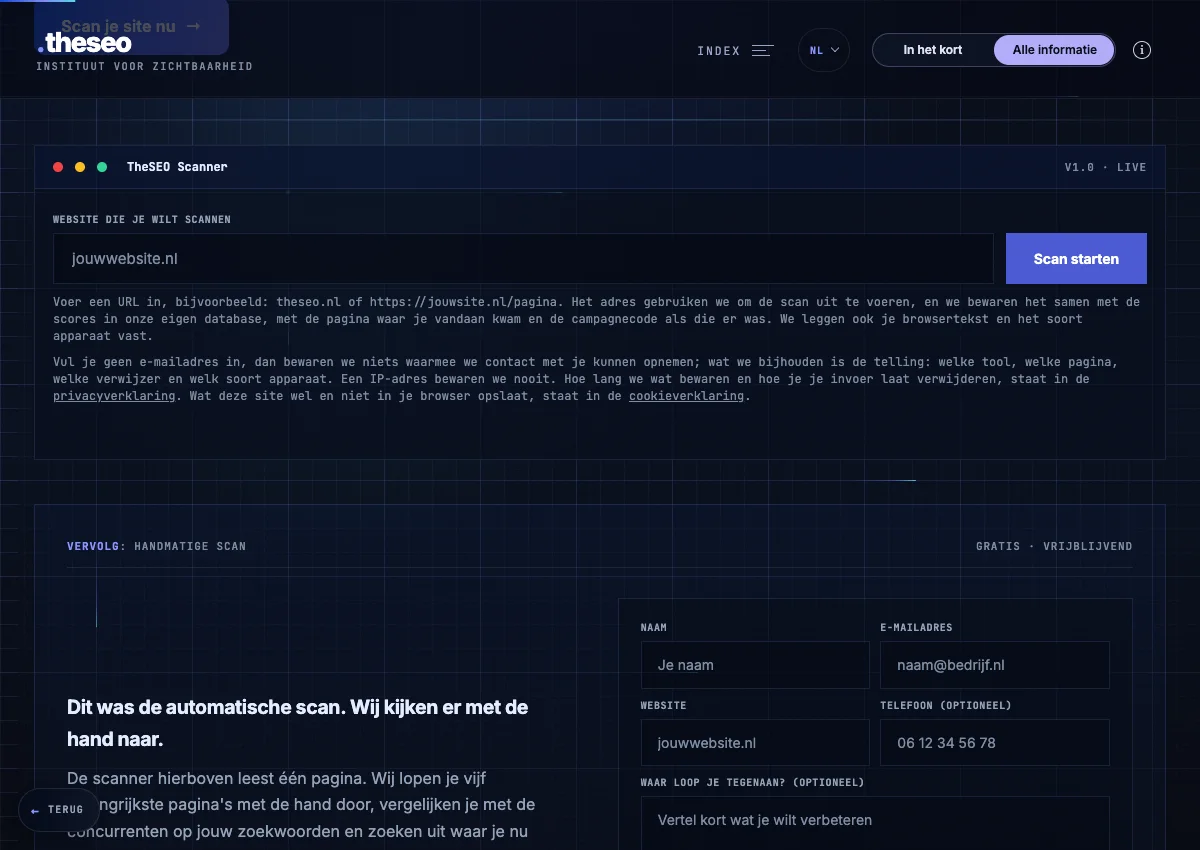
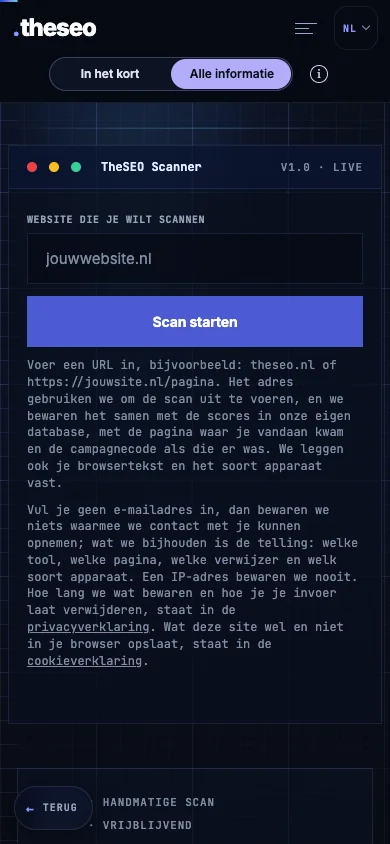
This is the SEO scan input screen. Open the tool to enter your own website address and start from there.
Open the SEO scanOpens in a new tabExample of the empty input screen. No scan has been started; this image contains no scan result or score.
02 / FREE TOOLS
Individual tools for SEO, AI and your website.
Free
Availability and data processing differ by tool. The directory shows each tool’s status; WordPress plugins need to be installed on your own site.
Open the tool directory
MEET THESEO
Working on websites and visibility since 2017. You speak directly with Gianluca.
Get in touchExplore the details at your own pace.
We build free tools, light WordPress plugins and bespoke work that does exactly what is needed. The difference between the first two is bigger than it looks: a plugin you download as a zip and install on your own server, a tool you open in the browser and use straight away. All twenty are in the register, each with a status that holds. If something off the shelf does not fit, we would rather build something to measure.
the zip is on the page of every plugin · these eight come to 413.5 KB together
Behind those twenty lines sit three different things. Some of it you install in your own WordPress and it runs on your server from then on. Some of it you use here in the browser: fill something in, get an answer back, done. And for the rest you get the recipe and do it yourself, with your own text next to it. All free, all without an account, but you need to know which one you are opening. So the first question is not which tool you need, but whether you want to do something now or download something.
Eight plugins is too many to pick from a list. So here they are first as eight separate cards with a drawing of their own, and then again as a table. That table is not about functions but about data: what does each of the eight record, and does anything leave your server. The last column is the reason you can put them on a client site without a data processing agreement having to come with them. Six of the eight make no outgoing request at all; the two exceptions are named. Five of the eight arrived on 19 August 2026 and carry a mark.
Clicks, scrolling, rage clicks and dead clicks, on your own server.
version 2.1.082 KBWordPress 6.0+PHP 7.4+GPLv2LCP, INP, CLS and TTFB from the field, at the 75th percentile.
version 1.0.051 KBWordPress 6.0+PHP 7.4+GPLv234 known AI crawlers in your log, plus the rules you hand them.
version 1.0.052 KBWordPress 6.0+PHP 7.4+GPLv2Eighteen machine testable points from EN 301 549, without an overlay.
version 1.0.067 KBWordPress 6.0+PHP 7.4+GPLv2LocalBusiness fields a Dutch company genuinely has, with a name, address and phone check.
version 1.0.047 KBWordPress 6.0+PHP 7.4+GPLv2Record per post how much AI was involved, visibly and machine readable.
version 1.0.040 KBWordPress 6.2+PHP 7.4+GPLv2An llms.txt to the standard, built from what you fill in in the admin.
version 2.0.026 KBWordPress 6.0+PHP 7.4+GPLv2Per page, which parts a language model can quote on their own, with the calculation.
version 2.0.049 KBWordPress 6.2+PHP 7.4+GPLv2setcookie, localStorage, wp_remote_, curl_init and file_get_contents.This is the complete register: twenty tools and plugins, each with a status that holds. The first group is the eight plugins: those you download and install in your own WordPress, with the version number, the file size and the requirements. The rest you use here in the browser.
Works now means you fill something in and get an outcome straight back. Reading guide means the page holds the template, the prompt or the table you do it with yourself, without an input field. And if it says not usable yet, that is exactly what it means. So you know what you will find before you click, and we promise nothing that is not there. The buttons below filter on where something runs; without JavaScript everything is simply open.
# nothing found. Clear the search term or choose Everything.
Eight of them, 413.5 KB together. You upload a zip in your own admin screen and from that moment it runs on your server: we see nothing of it, not even whether you have it. All eight under GPLv2, so you may change them and pass them on.
See where visitors click and how far they scroll, plus rage clicks and dead clicks. Without cookies and without an outside dashboard.
version 2.1.082 KBWordPress 6.0+PHP 7.4+GPLv2Measures LCP, INP, CLS and TTFB on your real visitors and shows the 75th percentile per page and per device. Below twenty measurements no figure appears.
version 1.0.051 KBWordPress 6.0+PHP 7.4+GPLv2See which AI crawlers fetch your pages, and say in robots.txt what they may do with your content. 34 known crawlers, no IP address.
version 1.0.052 KBWordPress 6.0+PHP 7.4+GPLv2Eighteen machine testable points from EN 301 549, and a statement that matches what was measured. No overlay.
version 1.0.067 KBWordPress 6.0+PHP 7.4+GPLv2LocalBusiness structured data with the fields a Dutch company genuinely has, plus a check on whether name, address and phone number are the same everywhere.
version 1.0.047 KBWordPress 6.0+PHP 7.4+GPLv2Record per post how much AI was involved, show it in a sentence you write yourself, and publish it machine readable.
version 1.0.040 KBWordPress 6.2+PHP 7.4+GPLv2Puts an llms.txt to the standard on your domain, built from what you fill in in the admin. The same page also carries the template to write it yourself.
version 2.0.026 KBWordPress 6.0+PHP 7.4+GPLv2Measures per page which parts a language model can quote on their own, with the whole calculation. The same page also carries the prompt to do it by hand.
version 2.0.049 KBWordPress 6.2+PHP 7.4+GPLv2Five of them with a real input field on the page. You fill something in and get an outcome on the screen within seconds. Nothing ends up on your own site and you do not have to create an account anywhere.
Enter your address and the scan checks a page automatically against 24 points, with the result straight away.
One question to the language model about your name, trade and city: does AI recognise your company, yes or no.
Fill in your company and topic and get a post ready to use for your Google Business Profile.
Paste a review and get a fitting, personal reply back that you can post as it is.
Headlines and descriptions that fit inside the limit, written from your page and your search term.
Five of them without a button. The page holds the full template, the full prompt or the full table, the same one we use internally. You do the work yourself and nothing goes to a server.
The full prompt with which you have a keyword plan for a local small business written in five minutes.
Is your Google Ads campaign still running on DSA? The check questions and what you do with the outcome.
The checklist with six criteria you judge for yourself whether your content is worth linking to.
What link building costs, set out per niche in an honest price table. No calculator needed.
The questionnaire with which you decide how exposed your traffic is to AI Overviews, and what you do about it.
Two are here because they exist but do nothing for you yet. They are in the register so you know before you click, and every page says what you can do instead today.
The check on your Google Business Profile is built, but the connection with Google is not switched on. The page says so and points you to the free SEO scan.
The setup is online, but there is no sign-up page and no dashboard yet. The page explains how you do it by hand today.
The big instruments are deliberately not among these: LinkLoop, Jarvis, the MyParcel Dashboard, the MCP server and the AI Index each have a page of their own and sit together on the software overview. Missing a tool here that you expected? Then it does not exist, and we would like to hear what you were looking for.
Twenty things are here, and they fall into three kinds you use in different ways. Eight you install in your own WordPress, twelve you open here in the browser, and for everything that fits neither we build to measure. Each one carries a status, because a tool that does not exist yet ought to say so before you click.
Is what you are looking for not here yet? Then book a call and we will think through what you actually need.
Many plugins feel handy at first, but in practice make a website slower, messier and fuller than it needs to be. A plugin that does four things of which you use one loads the other three as well. That is why we would rather build narrowly, and why these eight are so small: the smallest zip is 26 KB, the largest 82 KB, and together they come to 413.5 KB.
No surplus functions and no heavy clutter, only what your site or process genuinely needs. None of the eight sets a cookie, writes to localStorage or records an IP address, and six of the eight make no outgoing request at all. That saves you not only loading time but also a conversation with your lawyer.
The tools grow out of visibility, ease of use and practical gain, not out of technology for its own sake. The AI crawler log and the llms.txt generator exist because clients asked who is fetching their texts; the snippet previewer because a language model only quotes what can be cut loose.
From dashboards to calculators and internal flows: we would rather build something that truly fits than something that half works. One of these eight started as bespoke work for a client site and only became a plugin afterwards, because it turned out to fit more often.
Not everything has to be a plugin. Sometimes an existing tool is enough, but sometimes you need something that fits your process, your team or your website exactly. Think of a smart calculator, an internal tool, a dashboard, an AI flow or a system layer that saves time.
Interactive tools, calculators, lead flows, filters, smart forms and AI parts that genuinely move visitors forward and make them convert better.
Dashboards, overviews, internal tools and connections that cut manual work, bring calm and make daily processes smarter.
Solutions that not only work technically, but also connect to visibility, ease of use, conversion and commercial logic.
Yes. The AI passport builds, in your browser, an AI register, an AI policy, an AI literacy plan per role and the notices your website needs if you use an AI chat or AI images, on the rules that apply in the UK. Free, no account; nothing is stored or sent.
The place it runs. A tool you open here in the browser: you fill something in, get an outcome and nothing stays behind on your own site. A plugin you download as a zip file and install in your own WordPress, after which it runs on your server and the data stays there too. That is why a plugin has a version number and a file size, and a tool does not.
If a tool does exactly what you need without making your website heavier, less clear or more dependent, an existing plugin is often fine. Bespoke work gets interesting the moment a standard solution just misses your process, your goals or your way of working.
Think of calculators, interactive website blocks, dashboards, internal tools, lead flows, smart forms, AI tools and connections between systems. So it does not have to be a plugin, it may just as well be a complete solution that fits how your company works better.
Not always. A standard plugin sometimes looks cheaper, but can end up costing more time, more frustration and more technical ballast. Bespoke work is mainly sensible when it saves time directly, simplifies processes or earns more commercially than a generic solution.
Yes, and that is often the starting point. Sometimes the problem is clearer than the solution. Then TheSEO looks with you at what makes sense to build, what is better left unbuilt and how it can be used well on your website or inside your team.
No. Smaller and medium sized companies in particular often gain a lot from a light, narrow solution that saves time and fits better than a large system. It is not about the size of your company, but about whether a well built tool genuinely solves something.

If you would rather have a method than a tool, there are a hundred free skills for Claude ready that teach your AI a way of thinking. If you want to give your AI real tools rather than only a method, you do that through MCP. And the heavier instruments, from Jarvis to the MyParcel Dashboard, sit together on the software overview. And if you want to know what llms.txt actually is before you generate one, the explanation of llms.txt sets out what the file does, what it does not do, and why no large AI company has confirmed that it reads it.