The search terms report: stop the budget leak in Google Ads
You pay per click, but do you know who for? The search terms report shows you exactly which searches are eating up your Google Ads budget. With the right exclusions, you stop that leak today.

A keyword is what you set. A search term is what someone actually typed. The difference between those two columns is exactly where your budget disappears, and it is sitting in your account for free.
You pay per click, but who for, exactly?
Say you are a painter in Leeds. You switch on Google Ads to find local customers, you set the keyword "painter Leeds" to broad match, and you pay per click. Sounds simple. After two weeks your budget is gone and you have had three quote enquiries, two of which never went ahead.
The answer to what went wrong is sitting in the search terms report
There, for example, you see that someone searched for "painting restoration Leeds", another for "buy a paint sprayer", and a third for "painter vacancy". Google decided your advert fitted those searches. You paid for that click. None of them became a customer.
This is not the exception
How much of your budget leaks away this way, we do not know, and we deliberately give no percentage for it. That kind of figure circulates freely, but it says nothing about your account, and the real number is sitting in your account already. Open the search terms report, count the clicks on searches that have nothing to do with your trade, and set the cost of those clicks against your monthly budget. That is your percentage, and it is the only one that counts. The good news: this is something you can check, with the right report.
What exactly is the search terms report?
The search terms report is one of the most underused features in Google Ads. It sits hidden behind a couple of clicks, but the information in it is worth its weight in gold: for every search you see impressions, clicks, cost, and whether a conversion came out of it.
The difference with keywords determines what you see in the report
Keywords are what you set as an instruction to Google. Search terms are what people actually type at the moment they search. Set "hire a landscape gardener" as a broad match keyword, and Google decides for itself which searches lie close enough to it. That way you sometimes pay for "how to become a landscape gardener" or "landscape gardener salary", and those are not potential customers.
The report shows the gap between the traffic you thought you were buying and what Google actually delivers
Combined with the right action, that insight can save you hundreds of euros a month without changing anything in your adverts themselves.
Note: do not just look at clicks, also look at impressions without a click
If an irrelevant search shows your advert hundreds of times without anyone clicking, that damages your Quality Score. That costs you money too, just indirectly.
How to open the report, step by step
All you need is access to your Google Ads account.
- Log in at ads.google.com.
- Click the campaign icon in the menu on the left.
- Go to "Insights and reports" and click "Search terms".
- By default you see the last 30 days. For a fuller picture, set this to 90 days using the date picker in the top right.
- Sort the "Cost" column from high to low.
- Check each row for conversions. High cost with no conversion: that is your leak.
Start with the ten most expensive searches with no conversion
That is where the biggest direct effect sits. If you run several campaigns, filter the report by campaign or ad group using the filter button at the top: what a Search Network campaign in the city delivers is very different from what a PMax campaign aimed at broad audiences returns. If you would rather work in a spreadsheet than in the Ads interface, export the report and let the formula be written for you: the free AI Excel Assistant turns a request like "add up the cost of every row with no conversion" into a working formula, with a semicolon in the Dutch version of Excel and a comma in the English one.
What do you look for in the report, and what do you do with it?
There are three categories of poor searches we keep seeing with tradespeople. Once you know what to look for, you spot them straight away.
Informational questions
As a heating engineer you might pay for "how does a heat pump work" or "how to bleed a radiator yourself". Those people are researching, they are not buying. Exclude terms with "myself", "how does", "how much does it cost" and "guide" if your audience wants to call or book directly.Product-focused searches
A roofer who lays thatched roofs can get clicks from people looking for reed for a garden pond. Exclude terms that refer to products you do not sell but only use in your work.Certification-specific searches
If, as a heating engineer or painter, you do not hold ISO 9001 certification, searches from businesses looking specifically for that are wasted on you. The same goes for Safe Contractor or CHAS. Exclude terms such as "ISO", "certified" and "Safe Contractor" if that is not your type of customer.Tip: also add the names of direct competitors as a negative keyword, unless you deliberately want to bid on their brand name. People searching specifically for a competitor are rarely won over by an advert, but they still cost you click money.
What Performance Max does not show you in this same report
The report from the previous sections also exists for Performance Max, but there it only shows terms with enough impressions. The rest is summarised as other search terms, and according to this page that can be half or more of your budget. On the left you can exclude what you see; on the right you cannot exclude what you cannot see.
The PMax problem: you see too little
Performance Max is the campaign type Google has actively promoted over the past few years. The system decides for itself where, on which searches, on which network and at what time your advert appears. The promise is more reach with fewer settings. The reality for most tradespeople: you have far less control than with a classic Search Network campaign.
The biggest problem: the search terms report shows you only a small part of the searches that have used up your PMax budget
Google states that the report contains terms that were used by enough people, and that terms with too little search activity are left out of the report for privacy reasons, checked on 25 August 2026. The rest, which can be half or more of your budget, is summarised as "other search terms" or is not visible at all.
That makes PMax extra risky for local tradespeople
A paving contractor with a working area of 25 kilometres can lose budget to people far outside that area, to searches that have nothing to do with his trade, or to times when his audience is not active. You do not see many of those signals in the report.
What can you do about it
Add negative keywords at campaign level through the settings of your PMax campaign. They are more limited than in normal campaigns, but they work for the most obvious poor terms. Also consider combining PMax for reach with a classic Search Network campaign for control, with the right match types per campaign. The Search Network campaign gives you the full search terms report, PMax gives you scale. Together, you get more grip.
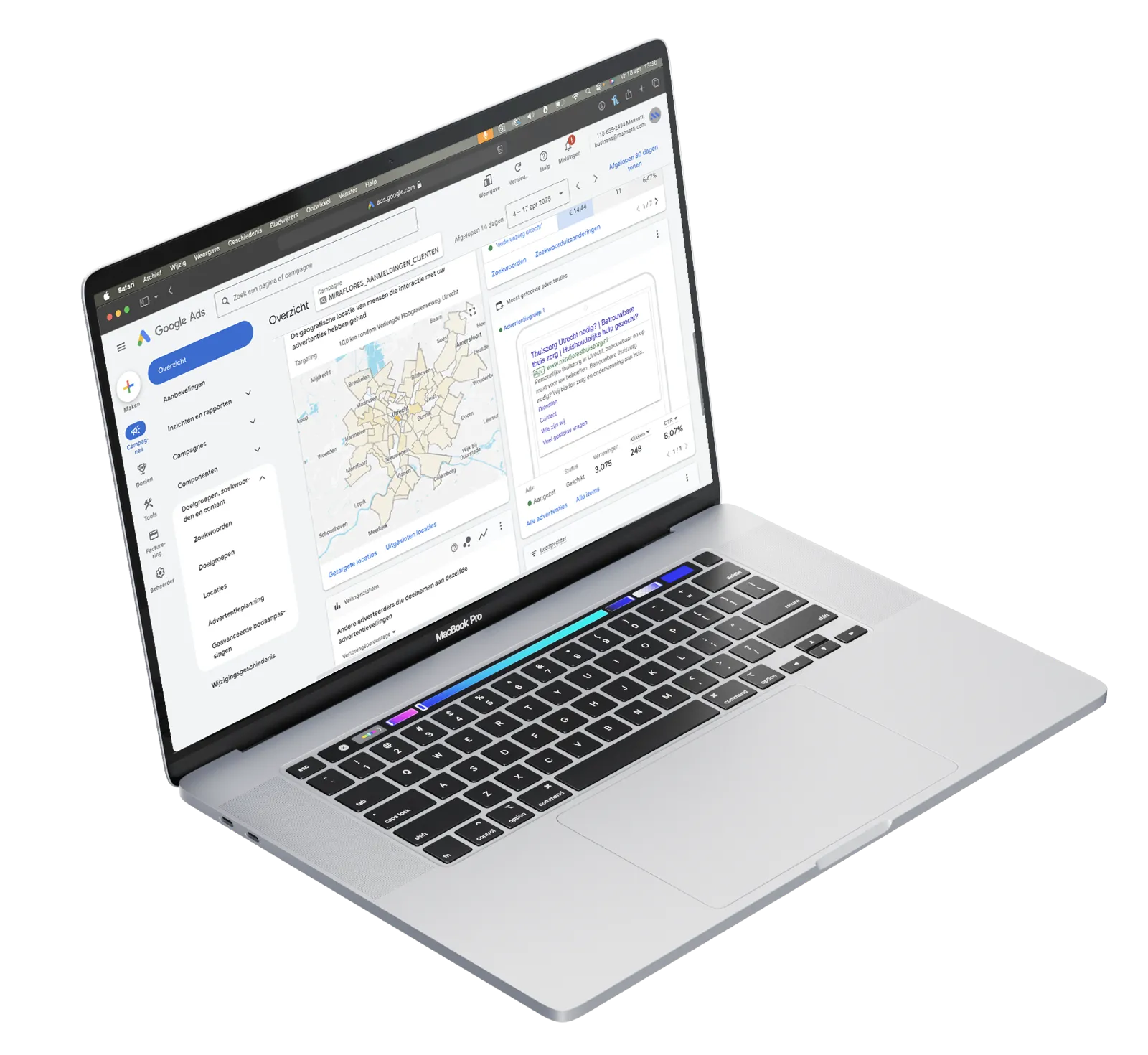
Adding negative keywords: how to do it
You have found poor search terms. Now you are going to exclude them.
- In the search terms report, select the relevant rows with the checkbox on the left.
- Click the "Add negative keywords" button that appears at the top.
- Choose the level: campaign or ad group, and confirm.
Want to enter a term by hand
Go to your campaign, click "Keywords" in the menu on the left and then the "Negative keywords" tab. Use phrase match by putting the term in quotation marks, or exact match with square brackets. Avoid broad match negative keywords, because they can accidentally block relevant variants too.
A practical starting point for almost any tradesperson: exclude the names of direct competitors, exclude terms with "myself" if you provide services rather than products, exclude terms with "course", "training", "vacancy" and "salary", and exclude product names if you only sell the work and not the material. Those leaks are quick to find in almost any account.
Repeat this check every four to six weeks
Google is constantly learning and can add new, unexpected searches over time. A monthly ten-minute check keeps your report clean and your budget in the right place. If you would rather keep a list at account level, do that through Tools and settings: it then applies automatically to every campaign.
Frequently asked questions about the search terms report
Where do I find the search terms report?
Log in to your Google Ads account, click the campaign icon on the left, go to Insights and reports and click Search terms. By default you see the last thirty days; set that to a longer period for a fuller picture. You then see, for every actual search, the impressions, clicks, cost and whether a conversion came out of it.
What should I look out for in the report?
Three types of search that keep coming back. Informational questions, where someone wants to know something and does not want any work done. Vacancy and training seekers. And do-it-yourself questions. All three click at the same cost as a customer, and none of them ever turn into a job. Exclude them as a keyword, at campaign or ad group level.
How often should I check this?
For most tradespeople, once a month is enough. If you are running a new campaign or have just increased your budget, check weekly for the first two weeks: at that stage the system is still learning, and more unnecessary searches come in than later on.
Does this also work with Performance Max?
There you see less. Performance Max decides for itself where, on which searches and on which network your advert appears, and the report you get back is more limited than with a normal search campaign. You can still exclude terms, but you are steering with less visibility. That is one of the reasons to keep local work in a normal search campaign.
What this gets you, and what you can do now
How often should you check? For most tradespeople, once a month is enough. If you are running a new campaign or have just increased the budget, check weekly for the first two weeks: at that stage the system is still learning and more unnecessary searches come in. After three months of active campaigns, the report usually settles down.
With tradespeople who already run campaigns, we regularly see ten to twenty per cent of the budget going to irrelevant search terms. In campaigns that have never been audited, that can rise to half the budget. After a first thorough audit and setting up negative keywords, a saving of one hundred to five hundred euros a month is realistic for campaigns of five hundred to two thousand euros.
Opening the report and spotting and excluding the most obvious poor search terms is something you can do perfectly well yourself, even without technical knowledge. If you want a deeper analysis that also takes in bidding strategy, ad copy and campaign structure, a specialist can help you capture the full gain. We do an hour of audit that often delivers more than a day of working it out yourself.
No time or inclination to do it yourself? Get in touch and we will take a free look at your account. Would you rather hand the whole job over and outsource Google Ads completely? The approach and the rate are on that page. Otherwise, book a call and within half an hour we will show you where your budget is leaking.